Home Cleverscope | Oscilloscopes Cleverscope Guided Tour
Cleverscope | Oscilloscopes

Cleverscope Guided Tour

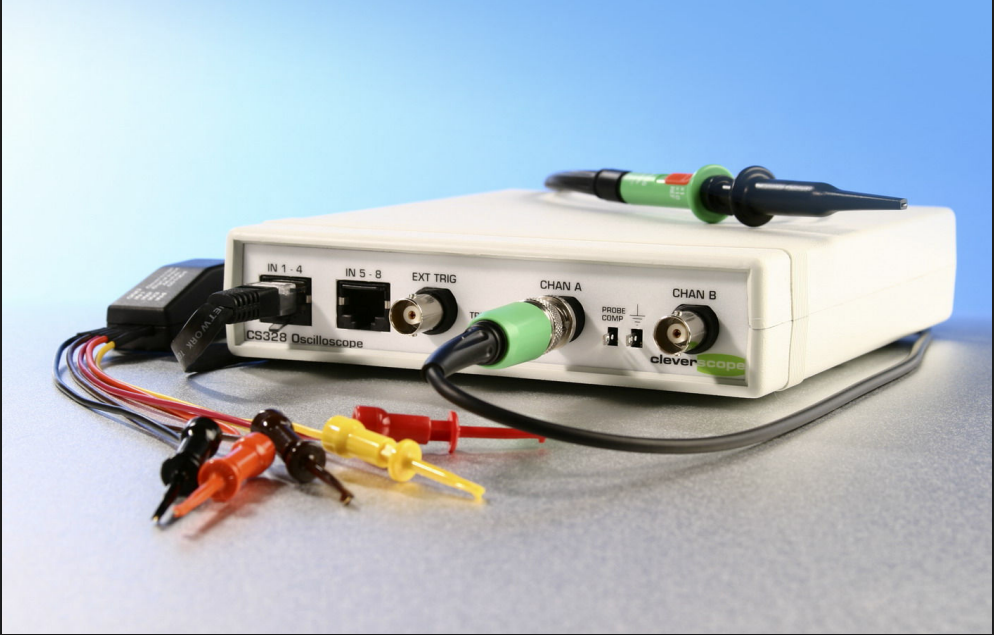
The Cleverscope Guided Tour is an interactive resource designed to introduce users to the functionalities and features of Cleverscope oscilloscopes. The guide covers essential techniques for analyzing signals, looking at both analog and digital signals, using mathematical functions, and exploring the spectrum analyzer..

  • Detail
  • Special Features
  • Specification

The Cleverscope Guided Tour introduces users to Cleverscope’s most powerful features through a series of practical lessons. The guide covers a range of techniques for investigating both analog and digital signals in time and frequency domains. Key highlights include:

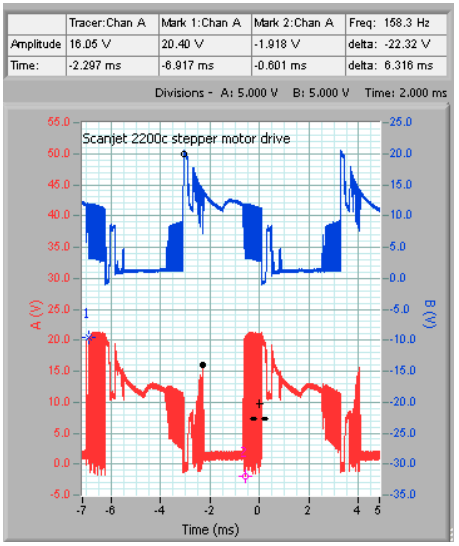
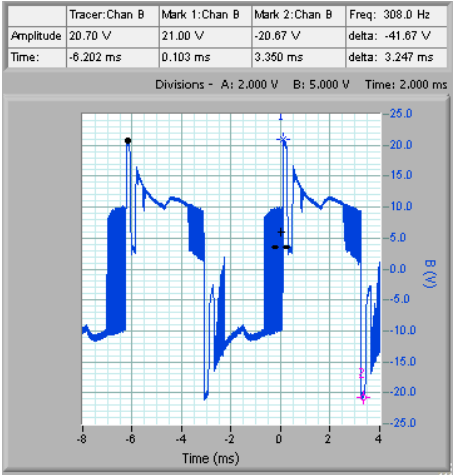
  1. Looking at Analog Signals in Time: Techniques for analyzing signals such as stepper motor controls and power supply signals.

  2. Mathematical Functions: Learn to use Cleverscope’s Maths Equation Builder for complex calculations and transformations on signals.

  3. Mixed Analog/Digital Signals: Visualize both analog and digital signals simultaneously, ideal for microcontroller or FPGA-based designs.

  4. Using the Spectrum Analyzer: Evaluate signal spectrum characteristics for noise, harmonics, and more.

  5. Transfer Function Response: Characterize two-port network behavior, ideal for evaluating components like audio amplifiers.

  6. Data Documentation: Copy and paste graphs into reports for easy documentation of experiments.

The tour also includes detailed examples of using the tracking graph, signal zooming, and measurement tools to evaluate the pulse frequency, slew rate, and amplitude characteristics of signals.

  • Exploring Signals: Understand the basics of signal exploration, including the ability to look at both analog and digital signals.

  • Mathematical Functions: Includes functions like integration, differentiation, filtering, and more to enhance signal analysis.

  • Mixed Signal Analysis: Easily analyze mixed analog and digital signals simultaneously.

  • Dynamic Range Optimization: Includes automatic scaling to maximize the dynamic range and resolution.

  • Signal Generator Integration: Use Cleverscope’s built-in signal generator for excitation during testing and validation.

Parameter Details
Signal Types Analog (Time, Amplitude), Digital, Spectrum
Mathematical Functions Integration, Differentiation, Filtering
Signal Generator Built-in (Sine, Square, Triangle Waves)
Dynamic Range Optimized via automatic offset and scaling
Mixed Signal Capability Yes, simultaneous analog and digital analysis
Time Resolution 10 ns (typical), with 2M sample buffer
Display Options Tracking Graph, Time Graph, Spectrum Graph
Signal Frequency Range DC to 10 MHz (Signal Generator)
Spectrum Analysis Yes, including FFT and averaging options
Waveform Analysis Tools Pulse width, frequency, amplitude measurements
Triggering Options Analog, Digital, Mixed Signal Triggering
Exporting Data Copy and Paste Graphs to External Applications
User Interface Dual Window with independent scaling and zooming